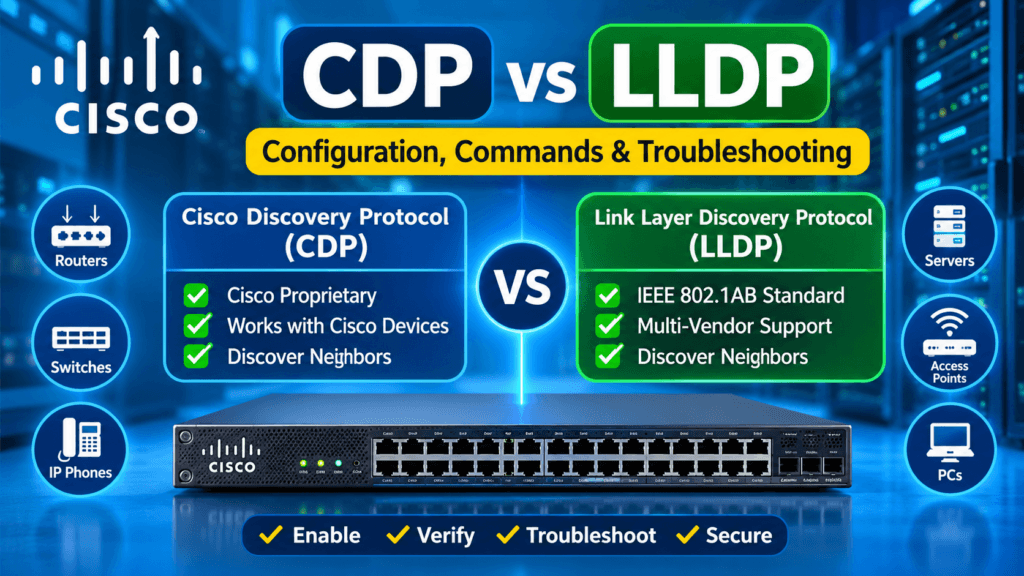
Discovering which devices are connected to a network switch is an essential task for network administrators. In enterprise environments, switches, routers, wireless access points, IP phones, and other devices are connected through complex physical topologies that can be difficult to document manually.
Cisco Discovery Protocol (CDP) and Link Layer Discovery Protocol (LLDP) help solve this problem by allowing network devices to advertise information about themselves to directly connected neighbors.
Although both protocols perform neighbor discovery, they differ in vendor compatibility, configuration, advertised information, and security considerations.
This guide explains Cisco CDP vs LLDP, compares their main features, demonstrates how to configure both protocols on Cisco switches, and provides practical troubleshooting procedures for missing or incorrect neighbor information.
1. What Is Cisco Discovery Protocol (CDP)?
Cisco Discovery Protocol (CDP) is a proprietary Layer 2 discovery protocol developed by Cisco.
It enables compatible Cisco devices to identify directly connected neighbors and exchange information without requiring IP connectivity between them.
CDP advertisements may contain:
- Device ID or hostname
- Local interface identifier
- Remote interface identifier
- Device capabilities
- Hardware platform
- Software version
- Management IP address
- Native VLAN information
- Power-related information on supported devices
For example, a Cisco switch connected to another Cisco switch can use CDP to identify the neighboring device and determine which physical interfaces connect the two devices.
Consider this topology:
             Cisco Switch A
             Gi1/0/1
                 |
                 | Ethernet Link
                 |
             Gi1/0/24
             Cisco Switch B
Instead of manually tracing the cable, an administrator can execute:
show cdp neighborsThe switch displays discovered Cisco neighbors and their connection details.
CDP is particularly useful in Cisco-based environments where administrators need quick visibility into physical connectivity.
For the official configuration procedure, see the Cisco CDP Configuration Guide.
2. What Is Link Layer Discovery Protocol (LLDP)?
Link Layer Discovery Protocol (LLDP) is an open, vendor-neutral Layer 2 discovery protocol standardized by IEEE 802.1AB.
Unlike CDP, LLDP is designed to support communication between compatible devices from different manufacturers.
For example, a Cisco switch can discover a directly connected LLDP-enabled device from another vendor, provided both devices support and enable the protocol.
LLDP uses Type-Length-Value (TLV) fields to advertise information about the sending device and its interfaces.
Common LLDP information includes:
- Chassis ID
- Port ID
- Port description
- System name
- System description
- Device capabilities
- Management address
- Supported Power over Ethernet information
An administrator can inspect discovered devices using:
show lldp neighborsFor more detailed information:
show lldp neighbors detailLLDP is especially useful in mixed-vendor environments where administrators need a standardized method of discovering connected equipment.
The official Cisco LLDP Configuration Guide explains the configuration and verification process.
3. Cisco CDP vs LLDP: Key Differences
CDP and LLDP have similar objectives, but their interoperability and implementation differ.
| Feature | CDP | LLDP |
|---|---|---|
| Full name | Cisco Discovery Protocol | Link Layer Discovery Protocol |
| Standardization | Cisco proprietary | IEEE 802.1AB |
| Vendor compatibility | Primarily Cisco devices | Multi-vendor |
| Network layer | Layer 2 | Layer 2 |
| Discovery scope | Directly connected neighbors | Directly connected neighbors |
| Device information | Identity, interfaces, capabilities and other details | Identity, interfaces, capabilities and TLVs |
| Configuration | Cisco-specific commands | Standardized protocol with vendor-specific CLI |
| Common environment | Cisco networks | Mixed-vendor networks |
The main distinction is interoperability.
CDP is particularly useful when managing Cisco equipment, while LLDP provides a standardized discovery mechanism for networks containing equipment from multiple manufacturers.
Both protocols can operate simultaneously on supported devices. Enabling one does not automatically enable the other.
4. How CDP and LLDP Work
Both protocols periodically advertise information through Layer 2 discovery messages.
The receiving device processes the advertisement and stores the neighbor information in a local table.
The general process is:
       Network Device A
               |
               | Discovery Advertisement
               |
       Network Device B
               |
               v
       Neighbor Information
               |
               v
        Local Neighbor Table
               |
               v
       Network Administrator
The stored information can help administrators identify:
- Which device is connected to an interface.
- Which remote interface is connected.
- Whether the neighbor is a switch, router, or another supported device.
- Which platform or software version is advertised.
- Whether the expected physical topology matches the actual connections.
However, CDP and LLDP do not automatically discover every device in an entire routed network.
They operate at Layer 2 and primarily identify directly connected neighbors.
For example, if Switch A connects to Router B and Router B connects to Switch C, Switch A does not automatically discover Switch C through CDP or LLDP.
To understand how these devices fit into a broader network architecture, see our Routers, Switches and Network Devices guide.
5. How to Enable and Configure CDP on Cisco Switches
CDP can be enabled globally or controlled on individual interfaces.
The following examples use common Cisco IOS and IOS XE commands. Exact support and default behavior can vary by platform and software release.
Check CDP Status
Start by checking the global CDP status:
show cdpTo inspect CDP interfaces:
show cdp interfaceTo display discovered neighbors:
show cdp neighborsFor detailed neighbor information:
show cdp neighbors detailEnable CDP Globally
Enter global configuration mode:
configure terminal
cdp run
end
The cdp run command enables CDP globally on supported Cisco devices.
Enable CDP on a Specific Interface
configure terminal
interface GigabitEthernet1/0/1
cdp enable
end
This enables CDP on the selected interface.
Replace the interface name with the actual port used by your switch.
Disable CDP on an Interface
configure terminal
interface GigabitEthernet1/0/1
no cdp enable
end
This disables CDP advertisements and processing on that interface.
Disable CDP Globally
configure terminal
no cdp run
end
This disables CDP globally.
Before disabling CDP, consider whether other network services or operational workflows depend on its neighbor information.
For example, certain Cisco IP phone deployments use CDP to exchange network-related information.
6. How to Enable and Configure LLDP on Cisco Switches
LLDP uses a separate configuration process.
On many Cisco IOS XE switch platforms, LLDP must be enabled globally before interface-level transmit and receive settings can operate.
Check LLDP Status
Use:
show lldpTo inspect LLDP interface settings:
show lldp interfaceTo display discovered neighbors:
show lldp neighborsFor detailed information:
show lldp neighbors detailEnable LLDP Globally
configure terminal
lldp run
end
This enables LLDP globally on supported Cisco devices.
Enable LLDP Transmission and Reception
Select the required interface:
configure terminal
interface GigabitEthernet1/0/1
lldp transmit
lldp receive
end
These commands control two separate functions:
lldp transmitallows the interface to send LLDP advertisements.lldp receiveallows the interface to process incoming LLDP advertisements.
Both functions are generally required for bidirectional neighbor discovery.
Some platforms also support a combined command:
lldp transmit receiveVerify the supported syntax for your switch model.
Disable LLDP Transmission
configure terminal
interface GigabitEthernet1/0/1
no lldp transmit
end
Disable LLDP Reception
configure terminal
interface GigabitEthernet1/0/1
no lldp receive
end
Disable LLDP Globally
configure terminal
no lldp run
end
After configuration, verify the protocol state and confirm that neighboring devices appear in the LLDP table.
7. How to Verify CDP and LLDP Neighbors
Verification is an essential part of network discovery configuration.
A protocol may be enabled globally but disabled on a particular interface. The physical connection may also be down, or the neighboring device may not support the selected protocol.
Verify CDP Neighbors
Execute:
show cdp neighborsA typical output may look like this:
Device ID       Local Intrfce    Capability    Port ID

SW-CORE         Gig 1/0/1        S I           Gig 1/0/24
R-EDGE          Gig 1/0/2        R S           Gig 0/0/0
The output identifies the neighboring device, local interface, capabilities, and remote port.
For additional details:
show cdp neighbors detailThis command can provide information such as the neighbor’s advertised software version, platform, and management address.
Verify LLDP Neighbors
Execute:
show lldp neighborsA typical output may look like this:
Device ID       Local Intf    Hold-time    Port ID

SW-ACCESS       Gi1/0/1       120          Gi1/0/24
IP-PHONE        Gi1/0/2       120          Port 1
For more information:
show lldp neighbors detailThe detailed output can include chassis ID, port ID, system name, system description, and supported TLVs.
Actual output varies according to the platform, software release, and neighboring device.
8. Troubleshooting CDP and LLDP When Neighbors Are Missing
One of the most common discovery problems is that a switch does not display its expected neighboring device.
This does not necessarily mean that the Ethernet connection is broken.
The problem may involve protocol configuration, interface state, device compatibility, or advertisement processing.
Problem 1: CDP Neighbors Are Not Displayed
Start with:
show cdp
show cdp interface
show cdp neighbors
Check the following:
- CDP is enabled globally.
- CDP is enabled on the relevant interface.
- The physical interface is operational.
- The neighboring device supports CDP.
- CDP is enabled on the neighboring interface.
If CDP is disabled on the interface, enable it:
configure terminal
interface GigabitEthernet1/0/1
cdp enable
end
Then verify again:
show cdp neighborsIf the neighbor is still missing, check interface status and review the switch logs.
Problem 2: LLDP Neighbors Are Not Displayed
Start with:
show lldp
show lldp interface
show lldp neighbors
Check whether LLDP is enabled globally and whether transmission and reception are enabled on the relevant interface.
For normal bidirectional discovery:
configure terminal
interface GigabitEthernet1/0/1
lldp transmit
lldp receive
end
Also confirm that the neighboring device supports LLDP and is configured to advertise information.
Problem 3: CDP Works but LLDP Does Not
This can happen when CDP is enabled but LLDP is disabled or incorrectly configured.
For example:
Cisco Switch A
      |
      | CDP: Working
      | LLDP: Missing
      |
Cisco Switch B
Check LLDP global and interface configuration on both switches.
Do not assume that enabling CDP automatically enables LLDP.
Problem 4: LLDP Works but CDP Does Not
This is common in mixed-vendor environments.
A neighboring device may support LLDP but not CDP.
In this situation, the absence of CDP information is expected.
Use LLDP when interoperating with equipment from different manufacturers.
Problem 5: Neighbor Information Appears in Only One Direction
If Switch A discovers Switch B but Switch B does not discover Switch A, inspect both ends of the connection.
For LLDP, verify:
show lldp interfaceConfirm that transmit and receive are enabled on both interfaces.
For CDP, verify:
show cdp interfaceAlso inspect interface status and device compatibility.
Discovery information is maintained independently by each device. Therefore, one-way visibility can occur when advertisements are disabled or not received in one direction.
Problem 6: Neighbor Information Is Outdated
CDP and LLDP maintain neighbor information using advertisement intervals and hold-time values.
If a device disconnects or stops advertising, its entry should eventually expire.
Inspect the neighbor tables:
show cdp neighbors
show lldp neighbors
If an old entry remains longer than expected, check the relevant protocol timers, interface state, and platform behavior.
Avoid clearing neighbor tables before collecting diagnostic information because doing so removes useful evidence.
9. CDP and LLDP Security Considerations
CDP and LLDP improve network visibility, but they can also expose infrastructure information.
Depending on configuration and supported TLVs, a neighboring device may learn:
- Device hostname.
- Hardware platform.
- Software version.
- Interface details.
- Management address.
- Device capabilities.
- Power-related information.
This information helps administrators troubleshoot the network, but it may also be useful to an attacker who gains access to an exposed network port.
Recommended Security Practices
- Disable discovery protocols on untrusted ports when they are not required.
- Avoid advertising unnecessary device information.
- Apply appropriate access controls to network management interfaces.
- Review discovery settings on guest and external-facing network segments.
- Keep network software updated.
- Document which interfaces require CDP or LLDP.
- Monitor unexpected devices appearing in neighbor tables.
Neither CDP nor LLDP is an authentication mechanism. The presence of a device in a neighbor table does not prove that the device is authorized or trustworthy.
For related Layer 2 protection mechanisms, see our guide to BPDU Guard vs Root Guard, which explains how to protect switching infrastructure against unexpected STP behavior.
10. CDP, LLDP and IP Phone Discovery
CDP and LLDP are also useful in environments containing Voice over IP (VoIP) phones.
A network administrator may need to identify which switch port connects to an IP phone and understand how the phone receives network-related information.
CDP can advertise Cisco-specific information to compatible Cisco phones.
LLDP can provide standardized discovery, while LLDP-MED extends the protocol with capabilities designed for media endpoints.
LLDP-MED can support the exchange of information such as:
- Voice network policy.
- VLAN information.
- Layer 2 priority.
- Layer 3 DSCP values.
- Power-related information.
- Device location information, where supported.
However, the exact behavior depends on the phone, switch, software release, and configured policies.
Do not assume that enabling basic LLDP automatically configures a voice VLAN. The network policy and switch configuration must also be correct.
11. Useful CDP and LLDP Troubleshooting Commands
The following commands help administrators inspect protocol status and neighbor information.
| Command | Purpose |
|---|---|
show cdp | Displays global CDP information |
show cdp neighbors | Lists CDP neighbors |
show cdp neighbors detail | Displays detailed CDP neighbor information |
show cdp interface | Displays CDP interface information |
show cdp traffic | Displays CDP traffic counters |
show lldp | Displays global LLDP information |
show lldp neighbors | Lists LLDP neighbors |
show lldp neighbors detail | Displays detailed LLDP information |
show lldp interface | Displays LLDP interface information |
show lldp traffic | Displays LLDP traffic counters |
show interfaces status | Displays interface status |
show logging | Reviews relevant system events |
Command availability and output can differ between Cisco IOS, IOS XE, and other operating systems.
For broader Layer 2 troubleshooting, our Spanning Tree Protocol Explained guide covers root bridge selection, forwarding states, and loop prevention.
If a discovery problem is associated with a redundant switch connection or port-channel, see Cisco EtherChannel Troubleshooting.
12. Practical Example: Discovering a Switch and an IP Phone
Consider a Cisco access switch connected to another switch and an IP phone.
              Core Switch
                   |
                   |
              Gi1/0/24
              Access Switch
                   |
          +--------+--------+
          |                 |
       Gi1/0/1           Gi1/0/2
          |                 |
      Access PC          IP Phone
The administrator wants to identify the connected equipment.
First, inspect CDP:
show cdp neighborsThen inspect LLDP:
show lldp neighborsIf the core switch appears in both tables, its connection is visible through both discovery protocols.
If the IP phone appears only through LLDP, check whether the phone supports and advertises LLDP and whether CDP is enabled on the relevant interface.
If the phone appears through CDP but does not receive the expected voice policy, inspect the phone configuration and switch voice VLAN settings separately.
This distinction is important: neighbor discovery identifies devices and advertises information, but it does not replace the configuration required to provide network connectivity.
13. Frequently Asked Questions
What is the main difference between CDP and LLDP?
CDP is a Cisco proprietary discovery protocol, while LLDP is an IEEE-standardized protocol designed for multi-vendor interoperability.
Can CDP and LLDP run at the same time?
Yes. On supported Cisco platforms, both protocols can operate simultaneously. Their configuration and neighbor tables remain separate.
Does LLDP work with non-Cisco switches?
Yes. LLDP is vendor-neutral, provided that the neighboring device supports and enables the protocol.
Does CDP require an IP address?
No. CDP operates at Layer 2 and does not require IP connectivity to discover a directly connected neighbor.
Why is my Cisco switch not showing neighbors?
Possible causes include disabled discovery protocols, an inactive interface, unsupported neighboring equipment, or incorrect transmit and receive settings.
Can LLDP discover devices across routers?
No. LLDP operates at Layer 2 and discovers directly connected neighbors. It does not provide discovery across routed Layer 3 boundaries.
Should I enable both CDP and LLDP?
You can enable both on supported devices when the network design requires them. However, consider security requirements and whether both protocols are necessary on each interface.
Is LLDP more secure than CDP?
Neither protocol should be treated as a security or authentication mechanism. Both can expose device information, so administrators should control where discovery advertisements are enabled.
What is LLDP-MED?
LLDP-MED is an extension of LLDP designed for media endpoints such as VoIP phones. It can advertise network policies, power information, and other endpoint-related details.
Conclusion
Cisco CDP and LLDP are useful tools for discovering directly connected network devices and understanding physical network connectivity.
CDP is particularly valuable in Cisco environments, while LLDP provides a standardized solution for mixed-vendor networks.
Network administrators should understand how to enable, verify, and troubleshoot both protocols while controlling the information advertised on untrusted interfaces.
By combining neighbor discovery with interface status, MAC address tables, and network topology documentation, administrators can identify connectivity problems more efficiently and maintain better visibility across their infrastructure.
Technical note: The commands in this guide are common Cisco IOS/IOS XE examples. Always verify syntax, feature support, and default behavior against the exact switch model and software release before applying changes in production.